CM13: Fundamental ICT Skills

- 3 Sections
- 13 Lessons
Join Live Zoom Class
13 Lessons
- Live Interactive Zoom Session
- TOPIC 1: INTRODUCTION TO ICT- NOTES
- 8TH OCT THUR(EVENING CLASS) BY MR. DICKSON - TOPIC:COMPUTER SOFTWARE
- 18TH SEP TOPIC: EVOLUTION OF COMPUTER HARDWARE(MR. DICKSON, EVENING CLASS)
- 24TH SEP THUR(EVENING CLASS) BY MR. MAINA - TOPIC: COMPUTER HARDWARE COMPONENTS
- 25TH SEP FRI (EVENING CLASS) BY MR. DICKSON - TOPIC: COMPUTER HARDWARE COMPONENT
- 1ST OCT THUR( EVENING CLASS) BY MR. DICKSON - TOPIC: HARDWARE COMPONENTS
- 2ND OCT FRI(EVENING CLASS) BY MR. MOSES - TOPIC: OPERATING SYSTEMS
- 9TH OCT FRI(EVENING CLASS) BY MR. DICKSON - TOPIC:COMPUTER NETWORKING
- 15TH OCT THUR(EVENING CLASS) BY MR. DICKSON - TOPIC: COMPUTER HARDWARE AND SOFTWARE REVISION
- 16TH OCT FRI(EVENING CLASS) BY MR. DICKSON - TOPIC: COMPUTER NETWORKING
- 22ND OCT THUR(EVENING CLASS) BY MR. DICKSON - SUBTOPIC: COMMUNICATION CHANNELS
- 23RD OCT FRI(EVENING CLASS) BY MR. DICKSON - TOPIC: INTERNET
New section
New section
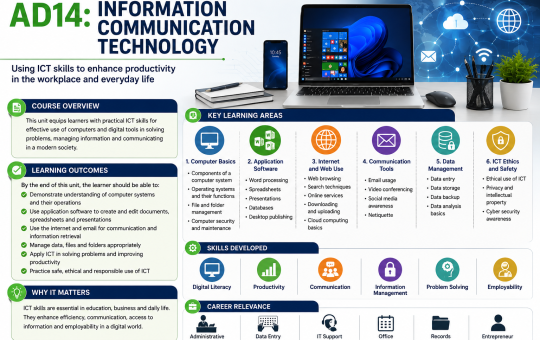
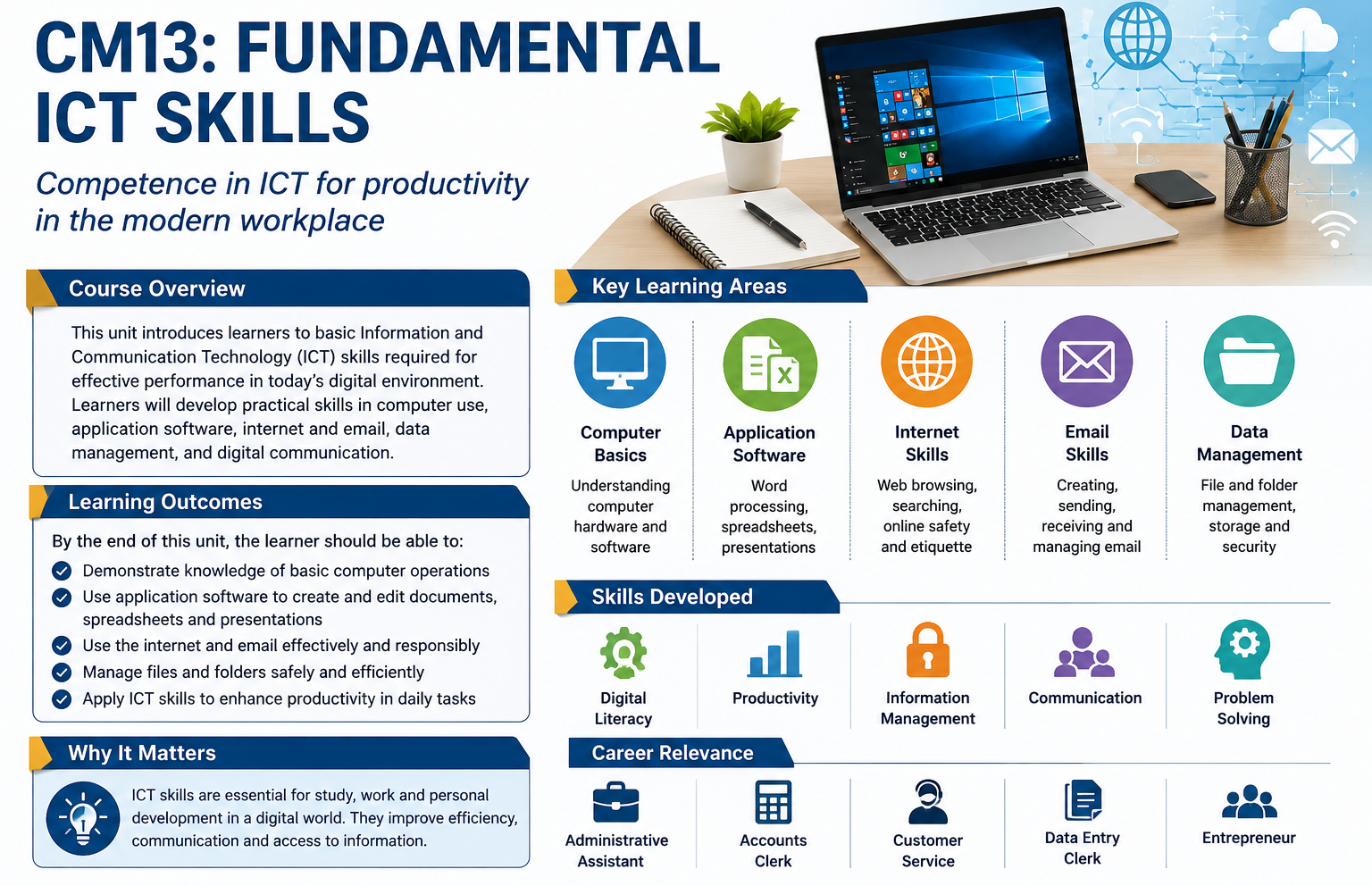
CM13 Fundamental ICT Skills is an introductory unit offered under the KASNEB Certificate in Accounting and Management Skills (CAMS) program. It provides entry-level candidates with foundational digital literacy, office productivity skills, and an understanding of basic computer architecture.
CONTEXT:
- Demonstrate foundational concepts of computers
- Definition of key terms
- Computer
- Computing
- Computer system
- Hardware
- Software
- Program
- Information communication technology
- Computer generations
- First generation
- Second generation
- Third generation
- Fourth generation
- Fifth generation
- Classification of computers
- Size
- Type
- Purpose
- Operate computer hardware
- Types of computer hardware
- Input
- Output
- Storage
- Process
- Operating computer hardware
- Keyboard
- Mouse
- Printer
- Use appropriate computer software
- Classification of computer software
- System software
- Application software
- Utility program
- Computer programming language
- Functions of operating software
- Types of operating software
- Graphical user interface
- Command line
- Managing files using operating system
- Creating folders and subfolders
- Create a file
- Delete file
- Copy and cut files
- Edit file
- Share file
- Print file
- Computer application software
- Word processing
- Features of word processor
- Formatting and editing text
- Creating and formatting tables
- Spreadsheet
- Features of a spreadsheet program
- Formatting and editing spreadsheet
- Formulas and functions; sum, min, max, date and average
- Insert Charts and graphs
- Presentation software
- Features of a presentation program
- Typing and formatting text in slide
- Slide show
- Printing a hand-outs
- Computerised accounting software
- Capturing data
- Features of accounting software
- Connect to computer networks
- Advantages and disadvantages of computer network
- Types of computer network
- LAN
- PAN
- MAN
- WAN
- Network devices
- Hub
- Switch
- Router
- CAT 6 cable
- Creating user accounts
- Network resources
- Folders
- Files
- Printers
- Secure data in computer devices
- Data threats and controls
- Distributed denial of service (DDoS)
- Man in the Middle (MitM)
- Social engineering
- Malware and spyware
- Password attacks
- Advanced persistent threats (APT)
- Computer control measures
- Education
- Legal responses
- Patches
- Backups
- Access controls
- Encryption
- Intrusion detection and computer forensics
- Honeypots
- Intrusion prevention systems
- Backtracing
- Counterattacking
- Data backup and restoration procedures
- Suggested Methods of Delivery
- Presentations and practical demonstrations by trainer;
- Guided learner activities and research to develop underpinning knowledge;
- Supervised activities and projects in a computer laboratory;
- The delivery may also be supplemented and enhanced by the following, if the opportunity allows:
- Visiting lecturer/expert from the ICT sector;
- Industrial visits.
- Recommended Resources Tools
- CAT 6 cables
- Switch
- Hub
- Router
- Firewalls
- Antivirus
- Equipment
- Computer
- Printer
- Materials and supplies
- Digital instructional material including DVDs and CDs
- Reference materials:
- Tymann, P., & Reynolds, C. (Revised Edition). Schaum's Outline of Principles of Computer Science (Schaum's Outlines. New York: McGraw-Hill.
- Rainer, R. K., & Prince, B. (2020). Introduction to Information Systems (8th Edition). New Jersey: Wiley.
- Vermaat, M. E., Sebok, S. L., Freund, S. M., Campbell, J. T., & Frydenberg, M. (2017). Discovering Computers (2018): Digital Technology, Data, and Devices. Boston: Cengage Learning.
- Kasneb e-learning resources (link on the Kasneb website).
- Kasneb approved study packs.
Want to submit a review? Login